
Smartphones hold banking details, private chats, personal photos, and work files, so basic security is no longer optional. Many people still skip simple protections, which makes it easy for thieves, scammers, and malware to cause damage. You do not need to be a tech expert to keep a phone safe. Small steps, used consistently, make the biggest difference. This guide walks through practical ways to secure access to your device, protect data, and stay safe online. You will see how features like strong passwords, software updates, and encryption work together. You will also learn safer habits for browsing and downloading apps. Finally, the guide shows how a phone like the HONOR X6d 5G can support everyday security without adding effort.

Essential Security Features Every User Should Enable
Strong Passwords, PINs, and Biometric Authentication
The lock screen is the first barrier between your private data and anyone who picks up your phone. Start with a strong PIN or password that others cannot guess. Avoid simple patterns, birth dates, or repeated numbers. Use at least six digits for a PIN or a longer passphrase with a mix of letters and numbers. Next, turn on biometric authentication such as fingerprint or face unlock if your device supports it. Biometrics make it easier to keep the phone locked because you can unlock it quickly. Combine biometrics with a strong backup password instead of replacing it. Also set a short auto‑lock time so the screen locks itself after brief inactivity. These basic steps stop casual snooping and slow down attackers who gain physical access.
Software Updates and Device Encryption
Attackers often target known software flaws, so running outdated system versions leaves a phone open to attack. Turn on automatic updates for your operating system and apps, and install security patches as soon as they appear. Updates often fix critical vulnerabilities and improve protection behind the scenes. Next, make sure device encryption is enabled in your settings. Encryption scrambles the data stored on your phone, so no one can read it without your PIN, password, or biometric unlock. If someone steals your device, encryption makes the stored data far harder to extract. Combine this with a secure backup solution, so you can restore information if the phone is lost or reset. Updates plus encryption give your smartphone a strong technical foundation for everyday security.
Safe Browsing and App Download Practices
Avoiding Phishing Scams and Malicious Links
Many attacks start with a simple message, email, or pop‑up that tricks you into tapping a link. Phishing scams often pretend to be banks, delivery services, or social platforms. Always check the sender’s address and look for spelling errors or urgent, threatening language. Do not tap links in unexpected messages. Instead, open the official app or type the website address manually in your browser. When you visit a site, confirm the URL looks correct and uses HTTPS. Ignore pop‑ups that claim your phone is infected or offer “free” gifts if you install something. These tricks usually install malware or steal login details. If a link feels suspicious, close it and delete the message. Slowing down and double‑checking protects you from many common smartphone threats.
Downloading Apps from Trusted Sources Only
Apps control what they can access on your phone, so unsafe downloads can expose contacts, photos, or messages. Only install apps from trusted stores for your device brand. These platforms scan apps for known malware and enforce security rules, which greatly lowers risk. Avoid downloading APK files or apps from random websites, links in messages, or unknown third‑party stores. Before installing an app, review its rating, number of downloads, and recent reviews. Check the permissions it requests and deny anything that seems excessive for its function. For example, a simple game should not need access to your microphone or messages. By staying within trusted stores and reviewing permissions, you keep more control over your data.
How HONOR X6d 5G Supports Everyday Security
Secure Access with the Side-Mounted Fingerprint Sensor
The HONOR X6d 5G supports secure access through a side‑mounted fingerprint sensor built into the power button. This design lets you unlock the phone quickly with your thumb while still keeping a strong barrier against unwanted access. You can register multiple fingerprints, which helps if you often hold the device in different hands. The sensor works together with Android’s lock screen protections, so your fingerprint adds convenience without weakening security. If the device restarts, you still need your PIN or password, which protects the fingerprint data. By making secure unlocking fast and natural, the HONOR X6d 5G encourages you to keep your phone locked whenever you put it down.
Reliable Storage and Privacy Features for Daily Use
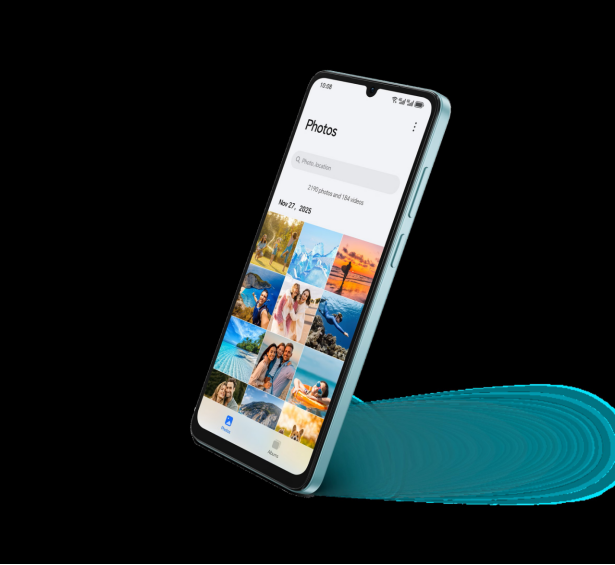
The HONOR X6d 5G offers generous storage and system‑level protections that help safeguard everyday data. Large internal storage means you can keep photos, documents, and apps on the device without relying on random external sources, which may be less secure. Android’s built‑in encryption protects stored data when the screen is locked, and you can combine that with cloud backups for recovery if the phone is lost. You also gain access to privacy controls that let you manage app permissions for camera, microphone, location, and files. By reviewing and adjusting these settings regularly, you limit what each app can see. The HONOR X6d 5G pairs daily convenience with practical tools that support secure, private smartphone use.
Conclusion
Protecting a smartphone starts with a few simple habits and the right settings. A strong PIN, password, or biometric lock prevents casual access. Regular software updates and encryption defend your data if someone steals or tampers with the device. Careful browsing and strict app download habits reduce the risk of malware and phishing attacks that target your accounts. Devices like the HONOR X6d 5G add helpful security features, such as a side‑mounted fingerprint sensor and privacy controls, that fit smoothly into daily use. Review your current settings, remove risky apps, and adjust permissions so each tool only accesses what it truly needs. Consistent, small steps today can prevent serious problems with your personal information tomorrow.